
Website Crashed During a Sale? How to Recover Fast Without Losing Customers
A website crash during a sale can cost you customers and revenue within minutes. Learn the first 10-minute recovery plan, identify the root cause fast, keep shoppers engaged, and implement proven strategies to prevent future crashes during high-traffic events.
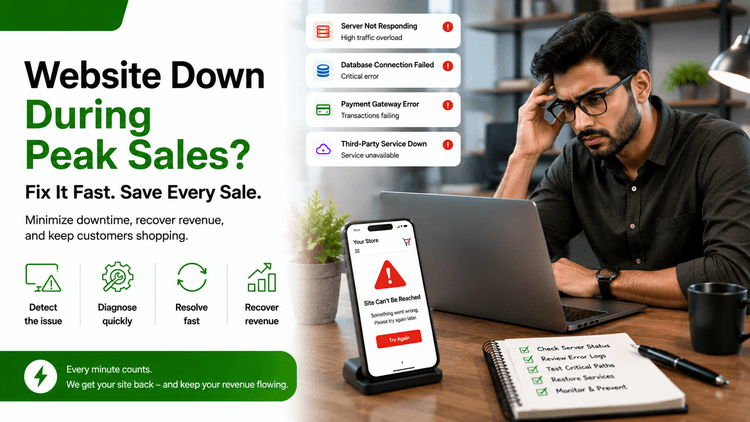
Table of Contents
If your website crashed during a sale, here is the immediate recovery sequence: switch on a holding page, alert your hosting provider, check server resource usage, identify the failure layer, and restore service before customers move on.
Most website crashes during sales trace back to one of five causes. Identifying which one you are dealing with in the first 10 minutes determines whether you recover the sale or write off the day.
Why Websites Crash During Sales ?
Cause | What Triggers It | How to Confirm |
Traffic spike beyond server capacity | Email blast, flash sale, viral social post | CPU and RAM metrics at 100% in hosting dashboard |
Database connection limit reached | Concurrent sessions exceed the DB pool | Error logs show “too many connections” or query timeouts |
Third-party plugin or script failure | Plugin update pushed before the sale | Site works with plugins disabled, fails with them on |
Hosting plan resource cap hit | Shared hosting hits bandwidth or request limits | Hosting dashboard shows resource limit warnings |
CDN misconfiguration | Cache rules incorrect for high-concurrency traffic | CDN dashboard shows a sudden cache miss rate spike |
According to Grandview Research, the global B2C ecommerce market reached USD 6.75 trillion in 2024 and is projected to grow at a CAGR of 6.2% through 2029. As more revenue concentrates on limited-time sale windows, a single crash now carries a business cost that did not exist a decade ago. Knowing which of these five causes is active in your store is what determines recovery time.
The First 10 Minutes After a Website Crash
Your first instinct will be to refresh the page and wait. Do not do that.
Here is the recovery sequence for the first 10 minutes:
Enable a holding page or maintenance mode so customers see a message, not a server error.
Check your hosting dashboard for CPU, RAM, and bandwidth alerts immediately.
Open an emergency ticket or call your hosting provider and state it is a live production outage.
Check error logs for a specific message: out of memory, max connections, or timeout.
If the cause is not immediately visible, get a backend developer on it now, not in an hour.
How to Diagnose the Exact Crash Cause in 15 Minutes ?
Step | What to Check | What You Are Looking For |
1 | Hosting dashboard, server CPU and RAM | At or near 100% means traffic overload |
2 | Database error logs | “Max connections,” “query timeout,” or deadlock messages |
3 | Application error logs | Memory limit exceeded, PHP fatal errors, unhandled exceptions |
4 | Recent update timestamps | Plugin, theme, or code deploy just before the crash |
5 | Hosting plan usage | Bandwidth or request count at the plan limit |
6 | CDN cache status | Cache miss spike or a cache purge just before the crash |
Gartner research places the average cost of IT downtime at approximately $5,600 per minute across organizations of all sizes. For a store in the middle of a flash sale, that figure runs proportional to your peak traffic volume. Getting the correct diagnosis in the first 15 minutes caps the total damage.
If the checklist shows nothing by step six, the failure is inside a custom code layer or a multi-plugin interaction. You need a developer who understands your specific stack.
How to Keep Customers from Leaving While You Recover ?
A blank server error sends customers directly to a competitor. A branded holding page keeps a portion of them.
What most stores miss: a holding page is a conversion tool. Use it to capture email addresses, offer priority access once the store is back, and give an honest recovery timeline. Customers who receive a proactive update during a disruption are significantly more likely to return than those who find the error on their own.
This pattern plays out before every high-stakes deadline in ecommerce. Our article on what to do when the platform goes down covers the real-time decision sequence in detail.
Infrastructure Changes That Stop the Next Sale Crash
Fix | What It Solves | Time to Implement |
Autoscaling or horizontal scaling | Server capacity adjusts automatically with traffic | Hours to days depending on hosting |
CDN activation and cache warming | Static assets serve from edge nodes, reduces origin load | 1 to 4 hours |
Database connection pooling | Manages concurrent connections, prevents overload | 1 to 2 hours with a backend developer |
Load balancer setup | Distributes traffic across multiple server instances | Hours to a day |
Pre-sale load testing | Finds your server’s ceiling before customers do | 2 to 4 hours with a performance engineer |
If your site has crashed under load before, the infrastructure was not ready for the traffic. Pre-sale load testing is the only way to know where the ceiling is before real customers hit it.
For a detailed walkthrough of how server bottlenecks build before they crash a site, read our guide on optimizing server performance.
When You Need a Developer in the Next 30 Minutes
Some crash scenarios cannot be resolved through a hosting dashboard. These require to hire a backend developer immediately:
Database corruption or partial data loss during the crash
Custom code throwing unhandled exceptions under load
Memory leaks causing progressive degradation rather than a clean crash
Multi-service failures cascading across CDN, API, and database simultaneously
A recent deploy that needs to be rolled back without data loss
Hiring the right ecommerce developer on the exact cause in the first 30 minutes caps the damage. Waiting an hour to start diagnosis often doubles the recovery time.
If the crash is part of a pattern of slow load times and growing instability, QuickHire’s store performance optimization service addresses the structural issues that make stores vulnerable to load-related crashes before the next sale.
The technical project manager connects you with the AI engineering team in 10 minutes to discuss the project requirements. You pay for the session. No salary, no contract, no overhead.

Concluding Thoughts
A website crash during a sale is recoverable if you move correctly in the first 10 minutes. Enable a holding page, diagnose the failure layer, get the right developer on it immediately, and keep customers informed while the fix is underway. The stores that recover sales after a crash are the ones that treated the first minute as the most expensive one.
FAQs
Why did my website crash during the sale when it handled normal traffic fines?
Sale traffic is not normal traffic. Email blasts and social posts send simultaneous spikes of users to the same pages at the same moment. A server configured for average load can fail instantly under a concentrated sale-driven spike, even if the total daily visitor count is not unusually high.
How do I tell if the crash is a server issue or a code issue?
Check your server CPU and memory first. If both are near 100%, you are dealing with a capacity problem. If server resources look normal, but the site is still down, check out your application error logs for specific messages. Code failures leave readable traces. Capacity failures just show maxed-out resource meters.
How fast can a developer fix a crashed website during a sale?
Most production crashes caused by traffic overload or database connection limits are resolved in under two hours when the correct specialist is on it immediately. Custom code failures typically take two to four hours. The variable is how quickly the right developer starts working, not how complex the fix itself is.
What should I tell customers while my website is down?
Enable a branded holding page with a short, honest message and a return timeline if you have one. Offer a way to leave an email for priority access when the sale resumes. Specific communication retains far more customers than silence, or a generic error message does.
How do I prevent my website from crashing during the next sale?
Run a load test before the sale to find your actual server ceiling. Activate a CDN if you do not have one. Enable autoscaling if your hosting supports it. Review your database connection pool size. These four steps address the most common causes of sale-related crashes before customers experience them.