Why Is My Payment Gateway Not Working? Causes & Quick Fixes
Stop losing sales to payment gateway failures. Discover 5 common checkout errors, how to fix them in 10 minutes, and when to hire a developer.
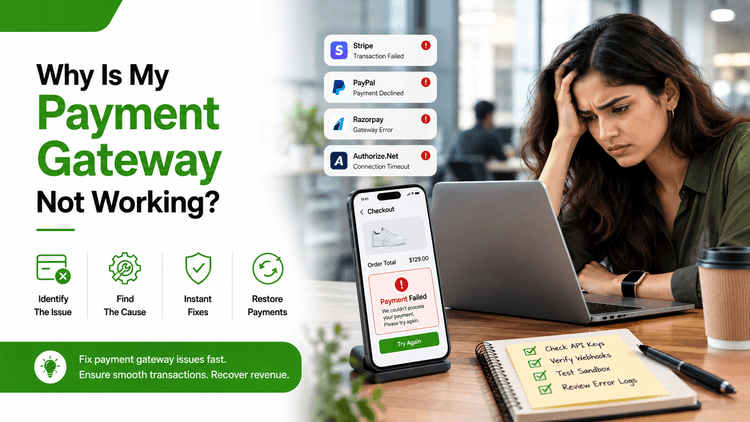
Table of Contents
Your payment gateway is failing, and orders have stopped. Here is how to find the exact cause under 10 minutes before another sale slips through. Most payment gateway failures trace back to one of five root causes: expired API credentials, overfired fraud filters, webhook delivery failures, SSL certificate issues, or a gateway provider outage. Identifying which one you are dealing with cuts diagnosis time from hours to minutes.
The 5 Most Common Reasons a Payment Gateway Fails
Cause | Visible Symptom | Where to Look First |
Expired or invalid API keys | “Authentication failed” error | Gateway dashboard, API keys section |
Fraud filter false decline | Valid cards silently rejected | Gateway dashboard, decline code history |
Webhook delivery failure | Payment succeeds but no order created | Server logs, webhook event history |
SSL certificate expiry | Payment form fails to load or submit | Browser certificate info, server panel |
Gateway provider outage | All transactions failing at once | Provider public status page |
According to Markets and Markets, the global payment gateway market is projected to grow from USD 26.7 billion in 2024 to USD 48.4 billion by 2029 at a CAGR of 12.6%. As more revenue moves through online gateways, a single failure now carries significantly more business costs than it did just a few years ago. Each cause above requires a different fix, so identifying the right one first is what saves you time and money.
Silent Declines are Costing You More Revenue Than a Full Outage
You open your dashboard. Payments show as processed. Orders never arrived. That is a silent decline and it does more damage than a complete gateway outage because nothing on your side alerts you to the problem.
A silent decline happens when fraud filters reject a valid card without displaying a useful error. The transaction never completes. The customer sees a generic failure message. You see nothing wrong with your logs because the gateway handled the request correctly from its perspective.
What most stores miss: Fraud filters get tightened over time as teams gradually lower risk thresholds without realizing the downstream impact. A filter that worked correctly at launch can become too aggressive six months later. Review fraud rule sensitivity every quarter, not only after a visible problem appears.
For a detailed look at how security settings interact with payment flows, see our guide on payment gateway security best practices.
How to Diagnose Your Gateway Failure in 10 Minutes
Run these six steps in order. In most cases, the root cause surfaces before you finish the checklist.
Step | What to Check | What You Are Looking For |
1 | Gateway dashboard, decline codes | A pattern in decline reasons by card type, geography, or value |
2 | Webhook delivery logs | Failed delivery events in the last 24 hours |
3 | SSL certificate status | Expiry date and whether checkout subdomains are covered |
4 | API credentials in your store config | Match keys against what is active in your gateway dashboard |
5 | Gateway provider status page | Active incidents or degraded service notices |
6 | Processor records vs order management system | A mismatch between the two almost always means webhook failure |
If the checklist shows nothing obvious by step six, the failure is inside a custom integration rather than the gateway itself. Generic checklists do not surface integration-layer failures. You need someone who understands how your specific stack routes payment data.
For stores that have run this checklist and found checkout dead with no clear log entry, the scenario is covered in detail in our article on checkout stopped working overnight.
Your store is losing revenue every minute when the gateway is down. Book a vetted payment integration specialist on QuickHire today. No contracts. No waiting. Fix it now.
Payment Gateway Error Codes and What They Mean
Different providers use different error codes, but most map the same underlying causes.
Error Code or Message | Gateway | Most Likely Cause | First Action |
Card declined | Stripe | Bank or fraud filter rejection | Check Stripe decline reason sub-code |
Insufficient funds | Stripe / Braintree | Customer account issue | No store-side action required |
Processing error | Stripe | Temporary gateway issue | Retry using exponential backoff logic |
FAILED_AVS | PayPal | Address verification mismatch | Review and loosen AVS rules in dashboard |
10417 | PayPal | Instrument declined by provider | Offer an alternate payment method |
2010 | Braintree | Card type not accepted | Check accepted card type configuration |
If error codes appear after a plugin or platform update and your gateway configuration was not changed directly, the update likely altered your API request format. This is one of the most frequently misdiagnosed causes because teams assume the gateway changed when the integration layer changed instead.
According to Forbes Business Council reporting in 2024, global cart abandonment sits at 70.1%. A portion of that abandonment traces directly to payment errors at checkout rather than customer intent. Correctly reading error codes is the fastest way to separate a fixable store-side issue from a customer-side one.
When the Fix Requires a Developer, Not Just a Dashboard Change
Some payment gateway failures cannot be resolved through gateway settings alone. These situations need to hire a backend developer with direct payments experience:
Webhook endpoint returning a non-200 response code.
Race conditions between payment confirmation and order record creation.
Token expiry issues inside session-based payment flows.
Custom payment flows breaking after a third-party plugin update
Integration failures following a major platform version upgrade
Every hour the gateway stays broken and adds to the total cost. You are not only losing revenue from failed transactions. You are losing repeat business from customers who experienced the failure and moved on.
Our ecommerce developers have resolved payment integration failures across Stripe, PayPal, Braintree, Razorpay, and custom gateway configurations. QuickHire connects you with the right specialist in under 10 minutes. For hands-on help, see our technical support services for payment and API issues.
If the failure is part of a wider checkout flow breakdown rather than a gateway-specific issue, our checkout optimization service covers end-to-end diagnosis for exactly this scenario.
Your payment gateway should not be costing your orders right now. Get a vetted eCommerce developer on QuickHire and have them find the exact failure point before the next transaction fails. Book an expert now.
Concluding Thoughts
Payment gateway failures do not always announce themselves cleanly. They appear as declined cards, missing orders, or silent checkout failures that look like customer error from the outside.
The sooner you identify which failure type is affecting your store, the faster you stop the revenue loss. Run the diagnosis checklist, check your error codes, and if nothing surfaces from the standard steps, bring in a specialist before another hour passes unresolved.
FAQs
Why is my payment gateway failing for some customers but not others?
The most likely cause is a fraud filter flagging specific card types, billing address formats, or transaction amounts. Check your gateway decline codes and compare the profile of affected customers against your fraud filter settings. Patterns by geography or card issues usually make the cause visible within minutes.
Can an expired SSL certificate cause payment gateway failures?
Yes. If your SSL certificate has expired or does not cover your checkout subdomain, browsers block the payment form from loading or submitting entirely. Customers see a security warning instead of a checkout page. Check your certificate expiry date and coverage through your server control panel or an SSL checker tool.
What is the difference between a gateway outage and a silent decline?
A gateway outage stops all transactions and is visible on the provider’s public status page. A silent decline affects specific cards or customers while others transact successfully. Silent declines are significantly more damaging because they produce no alert on your side and are frequently misread as customer error rather than a store-side configuration issue.
How do I confirm that a webhook failure is causing my payment gateway problem?
Compare your payment processor’s successful transaction records against your order management system. If the processor shows completed charges with no matching order records in your system, a webhook delivery failure is almost certainly the cause. Check webhook event logs and delivery status directly in your gateway dashboard.
When should I bring in a developer instead of diagnosing the gateway myself?
If the diagnosis checklist shows nothing obvious, if the failure appeared after a platform or plugin update, or if your integration uses custom code rather than a standard plugin, a developer will find the root cause significantly faster than self-diagnosis. QuickHire connects you with a payment specialist in under 10 minutes with no hiring overhead.